


Storing Preexisting Passwords on a Yubikey
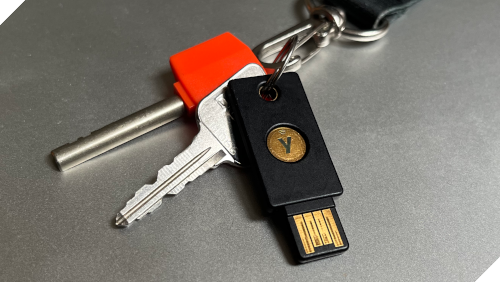
I have been using hardware security keys for close to ten years now. Recently, I have upgraded my Yubikeys to make use of the latest FIDO2 extension, largeBlob. This is the feature I would like to dive into.
Or so I might have wished to open this blog. Rather, I have to admit I’m lax about my security. Albeit I’m not alone in that, which arguably makes the chance that I’m singled out as a target somewhat smaller. The only reason I’m now getting the keys is because aws.amazon.com has made 2FA obligatory. A way out is to use an OTP generator on my computer, but then I would miss this nudge to improve my security. Another option is to use OTP on my phone, but getting a couple of extra phones for backup seems excessive. And saying I can simply buy a new phone in case my current one gets lost or stolen and then restore my account without issues is an empty statement without testing that scenario regularly. The Yubikey, on the other hand, is specifically designed for the task. And for that task of second factor authentications the Yubikey is great: easy to use and everything just works out of the box.
And then I pondered, could I use my newly acquired Yubikeys for securely storing a few existing passwords? To be precise, I got myself the security key series, which are the cheapest option and only support FIDO2. This question has cost me two days spent browsing through the low entropy user documentation, through the more informative but idiosyncratic developer documentation, through the fat official standards, and on a few occasions through the libfido2 source code.
Password Manager vs Yubikey
What is the difference between a software password manager and the Yubikey? To make the argument more concise, let’s assume the hard drive itself is not encrypted. Additionally, let’s assume there is universal support for discoverable credentials (or passkeys as they are also called). That is, a Yubikey is sufficient by itself to login to any website, no separate password manager is required for the first-factor authentication. The table below summarizes my amateur understanding. The table lists security features that are necessary for either a password manager or a Yubikey to be resilient against the named threats.
| Threat | Password Manager | Yubikey |
|---|---|---|
| Hardware theft | High entropy password | Hardware security |
| Memory dump | (game over) | (already secure) |
| Active malware | (game over) | User presence |
Hardware Theft. If a Yubikey is stolen, the attacker has a maximum of 8 attempts. If a computer is stolen, the master key to the password manager should be resilient against a brute-force attack. Simplifying still further, I’m assuming that the computer has been switched off. Otherwise cold boot attacks and memory encryption need discussion.
To compute an upper bound on the probability a password gets cracked one can think of a procedure how the password is generated in the first place, and assume that procedure is known to the attacker. For example, consider the following procedure. Select a random adjective out of the 5,000 most commonly used adjectives in English, and then append a random noun selected out of the 20,000 most commonly used nouns. Such 2-grams are easily memorizable and give approximately 26 bits of entropy. I’m postponing my take on whether 26 bits are enough till later in the discussion. Here are a few random examples of such 2-grams: fundamental-supports, silvery-obligations, intolerable-imperial. If the attacker knows this procedure, the best he can do is pick from the same 2-grams at random. And if he does not know the procedure, he can do no better. Hence the upper bound. With the 8 attempts for the Yubikey, the chance the PIN is cracked is therefore at most 8e-08.
How does a password manager compare? All password managers use a key derivation function to convert a user supplied password to the internal password used for encryption. The cost of computing that function is the primary cost of testing a single password candidate. The cost can be compute, memory or both. Going with a popular choice—say this is the default choice in KeePassXC—I’ll be considering the Argon2 key derivation function. Argon2 is primarily memory-bound. Recommendations on the exact parameters vary and I’ll simply follow the original recommendations from their RFC 9106, which is Argon2id, 2 GB memory, 1 iteration. Admittedly, the recommendations are back from 2021. I’ll also use 1 thread (lane); more threads is an option but in my tests the GPU cracking speed seems to increase proportionally, so not much of a difference.
An Argon2id hash with 2 GB memory, 1 iteration and 1 thread takes about 1.4s on my computer to generate:
How expensive would it be to crack such a hash? Getting a big envelope for some back-of-the-envelope calculations, this is what I get.
| Metric | Card | Value |
|---|---|---|
| Hashcat throughput | GTX 1660 | 6,012 hashes/h |
| Power consumption | GTX 1660 | 48 W |
| Hashcat throughput | RTX 4090 | 72,144 hashes/h |
| Power consumption | RTX 4090 | 173 W |
| Depreciation costs | RTX 4090 | $0.10/h |
| Electricity costs | RTX 4090 | $0.02/h |
| Total costs per hour | RTX 4090 | $0.12/h |
| Cost per 1 mln hashes | RTX 4090 | $1.65 |
I start with the measurements on my own GPU and then I’m adjusting those. IMHO, this is more reliable than simply googling for the final answer on the internet. My GPU is ancient, I’m still rocking GTX 1660 SUPER. The lists dict-adj.txt and dict-noun.txt for the popular adjectives and nouns were compiled, quick and dirty, from the Google’s Books Ngram Dataset. So, with hashcat,
I get 4008 hashes per hour at 4Gb memory usage (accel = 2). I could not utilize the full card, because some of it was booked by other processes. Upscaling to full memory usage gives me 6012 hashes per hour. The power consumption was about 48 W and did not seem to depend on the accel parameter, at least for Argon2id with higher memory settings.
An RTX 4090 is one of the cheaper cards per GB of memory, so I would be comparing to that one. An RTX 4090 has memory bandwidth some 3 times larger than a GTX 1660 SUPER and 4 times as much memory in total. That gives 72144 = 6012*3*4 hashes per hour. The power consumption of an RTX 4090 is 3.6 times larger at full load than that of a GTX 1660. Assuming the same scaling factor at fractional power loads that gives 172.8 W = 48 W*3.6.
Looking at various blogs, say https://epoch.ai/blog/trends-in-gpu-price-performance, the yearly depreciation of a GPU is very roughly 25% per annum. An RTX 4090 is currently priced at $3,500, so that comes down to $0.10 per hour in depreciation costs. As for electricity, around $0.10/kWh seems on the reasonable side world-wide. Given the estimated power consumption of 172.8 W and assuming 90% PSU efficiency, that gives about $0.02/h in electricity costs.
Putting it all together, the chosen Argon2 hash can be cracked, on average, for some $83. While there are practical considerations such as access to the necessary hardware, the pure monetary considerations suggests the hash gets cracked for sure.
Now, I could go with a 32 GB memory footprint, 12 threads (takes 12s on my machine to unlock) but that just bumps the attackers hardware requirement a notch, from an RTX 4090 to, say, an A100. The attack costs still remain relatively low. So, what is required is a higher entropy password. That is to say, a password manager is not per se worse than a Yubikey for the case of hardware theft, but its security is dependent on a password of sufficient entropy.
Combining a couple of the random 2-grams I was considering, e.g. fundamental-supports-and-silvery-obligations, raises the entropy to 53 bits and the estimated cracking costs to some $8bln. Still not a problem for OpenAI—just a matter of a minor barter with Nvidia—but prohibitive for most actors. The password is becoming a mouthful though. Anecdotally, I do choose passwords of what I think is sufficiently high entropy but over the years I have forgotten such a password on two occasions. Luckily, in recovery tests only. So, memorizing high-entropy passwords is an issue. And with that I’m saying nothing new, of course.
Another practical advantage of a hardware key is that assessing how strong your password is is trivial. For a password manager, with a recommended key derivation function, the exercise is evidently less straightforward. And if you disagree with the above calculations, that only reinforces this last point.
As a side remark, the assessment so far is conditional on the password manager having no bugs in its software implementation and on the Yubikey having no oversights and no backdoors in its firmware and hardware implementation. Given the popularity of the Yubikey it is reasonable to deduce I cannot simply hit one—say, with a $5 wrench—to bypass the hardware PIN security. Otherwise someone surely would have done that and bragged about that by now. It is very difficult to give specific numbers to the chances of there being vulnerabilities, however, so the assessment remains conditional in that sense.
Memory Dump. If an attacker gains remote access to the computer and does a memory dump while the password manager is open, he obtains all the credentials. The Yubikey remains secure under this narrow threat, because a Yubikey does not provide an option for dumping its memory.
Active Malware. Suppose now that an attacker gains remote access and starts employing increasingly sophisticated malware. First of all, the moment the user enters his PIN, for instance to register on a new website, the attacker learns the PIN. He can then list all the credentials on the Yubikey. The attacker cannot log in to any website on own initiative yet, because a Yubikey typically requires user presence: physically touching a button to authorize a request. Upping his game, the attacker patches the browser so that the moment the user attempts to log in to the website A, the browser sends a request to the website B. Unknowingly, because a Yubikey has no screen, the user presses the confirmation button. The attacker gets access to the website B, but the user’s login attempt to the website A fails, so the user might suspect something is amiss. (One can imagine the attacker providing a fake logged in session for the website A, but that seems conceptually difficult to pull off.) Still, the number of leaked credentials will not exceed the number of times the user confirms his presence and hence remains limited in that regard. Against a sophisticated attack a Yubikey offers some protection and that protection critically depends on user presence.
When is user presence enforced? For authentication, it is the website’s responsibility to request and verify user presence. For a symmetric key for disk encryption (the hmac-secret extension), it is enforced in the Yubikey’s firmware. For encrypted storage on the Yubikey itself (the largeBlob extension), it is not enforced. Convoluted security conventions are not good for security. Let me go through these claims one by one and illustrate them with code.
Authentication
According to the MDN docs, a website may ask to request user presence, or it may ask to skip that check. If the website requests user presence but the malware on the user’s computer rewrites the request, the website can detect the tampering, because the whole request gets signed by the Yubikey.
We can take a more detailed look at the signing process with a minimal example. I’ll be using command line tools, from libfido2, and some Python code here. (There is also the python-fido2 library, from Yubico, but its documentation is so poor as to make it no fun tinkering with.)
For simplicity, I’ll be using the same challenge throughout:
Assuming there is just one Yubikey plugged in, let’s remember its device path.
We start by setting up a new credential.
We can analyse the response with Python. We’ll need some boiler-plate code for reading data and for doing cryptography, I’ll define these functions upfront.
When creating a new credential, the data the Yubikey signs includes both the initial challenge as well as the public key for the newly created credential. First, we can verify the signature against the Yubikey’s public key. Second, we can also verify, through a chain of x509 certificates, that the Yubikey’s public key is a legitimate one. Altogether, that ensures that the public key for the new credential has indeed been generated on a Yubikey and not by a malware installed on the user’s computer. (In this example I’m doing the verification on the same computer, but in practice this verification happens on the website’s servers, of course.)
Next, let’s ask for an assertion and explicitly request user presence (-t up=true, or alternatively, and confusingly, the -p flag):
This only succeeds if the user touches the Yubikey to confirm his presence. We can verify the signature against the public key we obtained earlier. We can also check if the bit for user presence was set. Importantly, that bit is included in the data that gets signed.
If the computer gets compromised, the malware can ask for an assertion in the background, without requesting user presence:
In this case, the assertion still gets signed by the Yubikey, so the signature verification succeeds. However, the check for the user presence bit will fail.
hmac-secret
I have asked Gemini to do some investigation, listing sources, and it seems the extension was initially envisioned to allow for offline login to Windows machines. The extension itself was added in the CTAP 2.0 draft from 2018-02-27 (it’s not there yet in the draft from 2017-09-27). The 2018 draft also explicitly states that the authenticator needs to verify user presence. Indeed, with offline login, or disk encryption for that matter, relegating the check for user presence to the relying party does not work. In this scenario the relying party is the same as the computer, where the Yubikey is plugged in. If that computer is compromised and if the user presence check can be disabled, the hmac-secret can be fetched in the background without the user being any wiser. I imagine for those reasons the Yubikey enforces the user presence check in firmware (different hmac-secrets are further returned depending on whether PIN verification was requested or not.)
First, let’s create another credential, but this time around with the hmac-secret extension enabled (the -h flag).
Second, let’s acquire an hmac-secret with user presence enabled, -t up=true:
That works. If instead I explicitly disable user presence, -t up=false, and try
I get, as expected,
Checking the source code further clarifies the error is coming from the Yubikey itself and not from the libfido2 library.
largeBlob
When you just start reading the documentation, it is very unclear what the largeBlob extension does and what security guarantees it provides. What follows is my current understanding, which might still be incomplete.
Let’s start by creating a “secret” we want to store on a Yubikey:
and attaching it to the earlier created archlinux credential as a largeBlob
Subsequently, we can use the fido2-token to read the secret back from the Yubikey
That works. This last command does not require user presence, but it does require PIN verification. That is misleading, because neither user presence nor PIN is in fact required to read the secret back from the Yubikey.
Under the hood, the extension is split into several parts. First, with the 5.7 firmware there are 4096 bytes reserved on the Yubikey for non-volatile storage of user data, a so-called largeBlob array. This data, in principle, can be anything. It is possible to read the data using fido_dev_largeblob_get_array() from the libfido C-library. The read operation does not require knowing the PIN, nor does it require user presence. I have drafted a small C-snippet to read this data and dump it to STDOUT. (As far as I can tell, this functionality is not exposed through any command-line tool from the libfido2 library.) Compiling the snippet with
and running
dumps the content of the largeBlob array to largeBlob.cbor.
Second, when asking for an assertion, the Yubikey can provide a symmetric largeBlobKey associated with the given credential. Unlike an hmac-secret, this key is not salted, nor does it vary depending on whether PIN verification has been requested or not. And, importantly, user presence is effectively not enforced.
So, to get a largeBlobKey, we just request it with a regular assertion:
This requires neither PIN verification nor user presence. If the computer is compromised, the above operations can be completed in the background by the malware to obtain the largeBlobKey.
The Yubikey has an option to enforce PIN entry on certain operations (the documentation is vague regarding which operations these are):
but this option does not prevent the above commands from executing successfully.
Third, what the fido2-token -S -bn command does, is requesting the largeBlobKey, encrypting the supplied secret in userspace, and then storing the resulting ciphertext in the largeBlob array. fido2-token -G -bn does the reverse. Having extracted the array and the key earlier on, we can decipher the secret ourselves.
That will print “there are infinitely many primes.”
Password Storage
Having gained some understanding how the hmac-secret and largeBlob extensions work, let me go back to my original question. I want to store an existing password on a Yubikey. The only clear option for storage is provided by the largeBlob extension. I also want the extra protection the Yubikey gives, meaning I want the Yubikey to enforce user presence. The latter seems to imply I must use the hmac-secret extension. So, why not combine? Request a symmetric key using the hmac-secret extension and use that symmetric key for storing my passwords using the largeBlob extension. In a way, doing exactly what the fido2-token -S -bn command already does, but using a symmetric key provided by the hmac-secret instead of the one provided by the largeBlob extension.
While there is no one single command that does the above, it is still straightforward to program the procedure using the command-line tools from the libfido2 library.
First, I request an hmac-secret. If desired, PIN verification can be mandated with the -v flag, in which case a different hmac-secret will be returned.
As a security warning, hmac-key is readable by any user-space program right now. I’ll leave it be, so as to not overcomplicate the example. For better security, this procedure can be written in C.
Now I can store my secret about prime numbers in the largeBlob array using the newly minted hmac-key:
And for the recovery, running
will print, once again, “there are infinitely many primes.” The difference from the largeBlob example being, a malware cannot run the first step, getting the hmac-key, without the user confirming the operation.
One can ask, why not use the hmac-secret as the password to start with? For me, I’m covering a transition period. I’m considering moving a couple of passwords out of my wetware memory and onto a Yubikey. I want to give it around a year, ensure everything works, not least the backup Yubikeys, before fully switching. In this interim period my Yubikeys need to store the preexisting passwords. Another valid reason has to do with how Yubikey redundancy works. The extra Yubikeys that I use for backup will generate distinct hmac-secrets. If the service whose password I want to store does not support multiple passwords, then I still need a wrapping mechanism to store the same password on different Yubikeys.
As far as I can tell, the outlined storage approach is kosher. Still, I cannot help but wonder, why make a largeBlob extension (introduced in CTAP 2.1) that partially duplicates the hmac-secret extension (introduced in CTAP 2.0), but with different and not at all transparent guarantees regarding user presence?


